



Accessible Forms and Navigation: Practical Guidelines for Better UX
In today’s digital world, accessibility is no longer optional. It’s essential. Every user deserves an experience that is intuitive, inclusive, and empowering. Two of the most critical components of any digital interface, forms and navigation, play a major role in shaping that experience. That’s why a strong emphasis should be placed on making them accessible to everyone, regardless of ability.
Why accessibility matters
Accessible design ensures that people with diverse abilities, including those using screen readers, keyboard navigation, or other assistive technologies, can interact with digital products effectively. Beyond compliance, it’s about creating equitable experiences that reflect core human values.
Designing accessible forms
Forms are often the primary way users interact with digital platforms, whether signing up, making transactions, or providing information. Following best practices helps make forms easier to use:
- Clear Labels and Instructions: Every form field includes descriptive, persistent labels so users understand what information is required. Placeholder-only labels are avoided, as they disappear and create confusion.
- Keyboard Accessibility: Users can navigate through forms using only a keyboard. A logical tab order and visible focus states help users stay oriented.
- Error Identification and Feedback: When errors occur, clear, concise guidance explains how to fix them without relying solely on color. Validation errors are announced to screen readers, for example using aria-live, after a user finishes interacting with a field.
- Assistive Technology Compatibility: Forms are designed to work well with screen readers by using semantic HTML (like
<label>,<fieldset>, and<legend>) and ARIA attributes where needed to associate errors and descriptions with their fields. - Autofill Support: Standard HTML autocomplete attributes allow browsers to pre-fill information, reducing cognitive load and typing effort.
- Minimized Cognitive Load: Forms are kept simple by breaking complex processes into manageable steps and removing unnecessary fields.
Forms are often the primary way users interact with digital platforms, whether signing up, making transactions, or providing information.
Building inclusive navigation
Navigation is the backbone of user experience. If users cannot find what they are looking for, the rest of the experience is compromised.
- "Skip to Content" Links: A keyboard-accessible link at the top of the page allows users to bypass repeated navigation and jump to the main content.
- Consistent and Predictable: Menus and links are placed where users expect them, maintaining consistent structure across pages.
- Keyboard-Friendly: Users should be able to access navigation elements without a mouse, including dropdowns, flyout menus, and mobile navigation patterns.
- Clearly Structured: Semantic HTML landmarks (like
<nav>,<header>, and<footer>) and proper heading hierarchy help assistive technologies understand the page structure. - Visible Focus Indicators: Interactive elements clearly show a high-contrast visual outline when focused, helping users track their position.
- Visual Contrast: Text meets a minimum 4.5:1 contrast ratio, with appropriate ratios applied for large text and UI components to support readability.
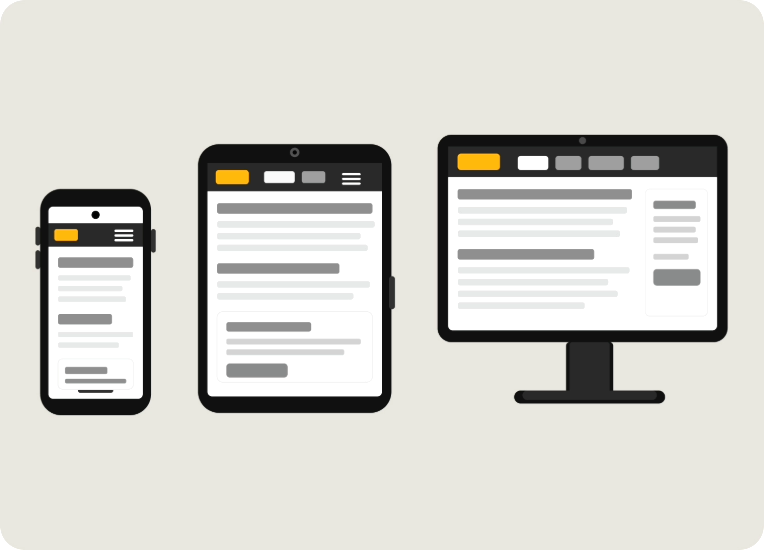
- Accessible Across Devices: Navigation adapts across screen sizes to support use on mobile, tablet, and desktop.
Continuous Evolution and Testing
Accessibility is not a one-time effort. It is an ongoing commitment:
- Conduct regular automated and manual accessibility audits
- Test with real users, including people with disabilities
- Follow recognized standards like the Web Content Accessibility Guidelines (WCAG 2.2)
- Refine designs and code based on user feedback
Our Commitment
At Ally, accessibility is part of our DNA. By prioritizing accessible forms and navigation, we create digital experiences that are inclusive, usable, and welcoming. We’re not just building products. We’re building connections that more people can access.