


What Automated Tools Miss: Testing with People Who Have Disabilities
A website passed every accessibility check the team ran.
The keyboard worked.
The headings were correct.
The form fields had labels.
No major automated issues were reported.
Then a person with a disability tried to complete a simple task — and got stuck.
How can a product pass accessibility testing and still be difficult to use?
Because accessibility isn't only about whether something works technically. It's also about whether the person using it can understand and complete the experience.
What Real Users Can Reveal
Automated tools are useful for finding many technical issues. Manual testing helps us evaluate behaviour that requires human judgement.
But when people with disabilities use the product themselves, we get to see what those results actually mean in practice.
For example, imagine someone using a screen reader to book a flight. They complete the form and select “Book flight.”
A confirmation message appears visually, but nothing is announced.
The person waits and asks, “Did my booking go through?”
The message exists, but the user doesn't know that the task is complete.
That small moment tells us something a checklist cannot: the experience has left the user feeling uncertain.
Pay Attention to the Small Moments
Not every useful finding looks like a clear accessibility failure.
A participant might pause, repeat an action, go back to something they already completed, or ask what they should do next.
Those moments are worth exploring.
A simple question such as “What were you expecting to happen?” can reveal why the experience became difficult.
The participant doesn't need to identify the technical problem. They simply need to use the product naturally and share what they experienced.
Look for:
- Uncertainty: Does the user know what happened?
- Expectations: Did the interaction behave as they expected?
- Navigation: Can they understand where they are and what comes next?
- Task completion: Can they complete the task independently?
These observations can reveal barriers that may not be obvious when looking at individual components in isolation.
User testing doesn't replace automated or manual testing; it adds the perspective of the person actually using the product.
Test the Experience, Not Just the Interface
Give participants realistic tasks such as completing a form, finding information, booking an appointment, or downloading a document.
Then observe what happens.
Where do they hesitate?
What do they expect?
What makes them change their approach?
These observations can help teams improve not only accessibility, but also the overall experience.
It is also useful to involve people with disabilities earlier in the design and development process. Their feedback can help teams identify potential barriers before the product is already built.
Different Tests, Different Insights
Each type of testing answers a different question.
Automated testing helps identify detectable technical issues quickly and at scale.
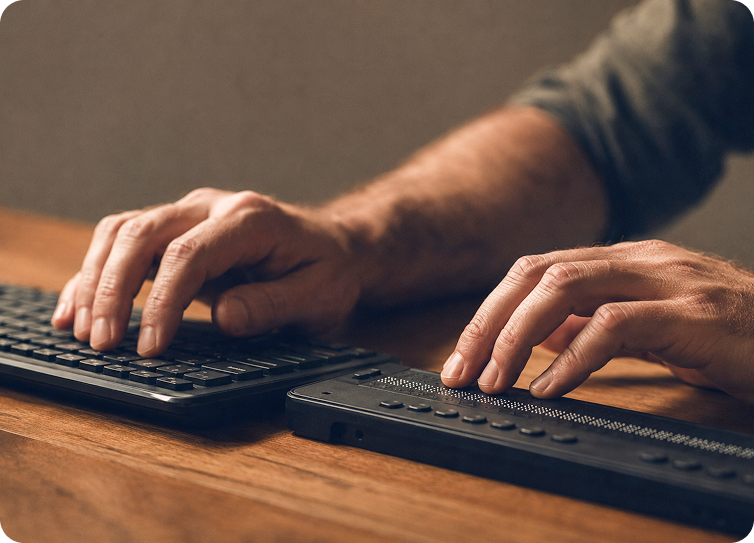
Manual testing helps evaluate areas that require human judgement, such as keyboard behaviour, focus, semantics, and screen reader interaction.
Testing with people with disabilities helps teams understand whether someone can use the product to accomplish a real task and what barriers they encounter along the way.
Together, these approaches give teams a more complete view of accessibility.
User testing doesn't replace automated or manual testing; it adds the perspective of the person actually using the product.
At the end of the day, accessibility testing shouldn't stop at:
“Does this meet the requirement?”
We should also ask:
“Can this person accomplish what they came here to do?”
Because a product can meet accessibility requirements and still create barriers in practice.
And sometimes, the person using it is the one who can show us where those barriers really are.